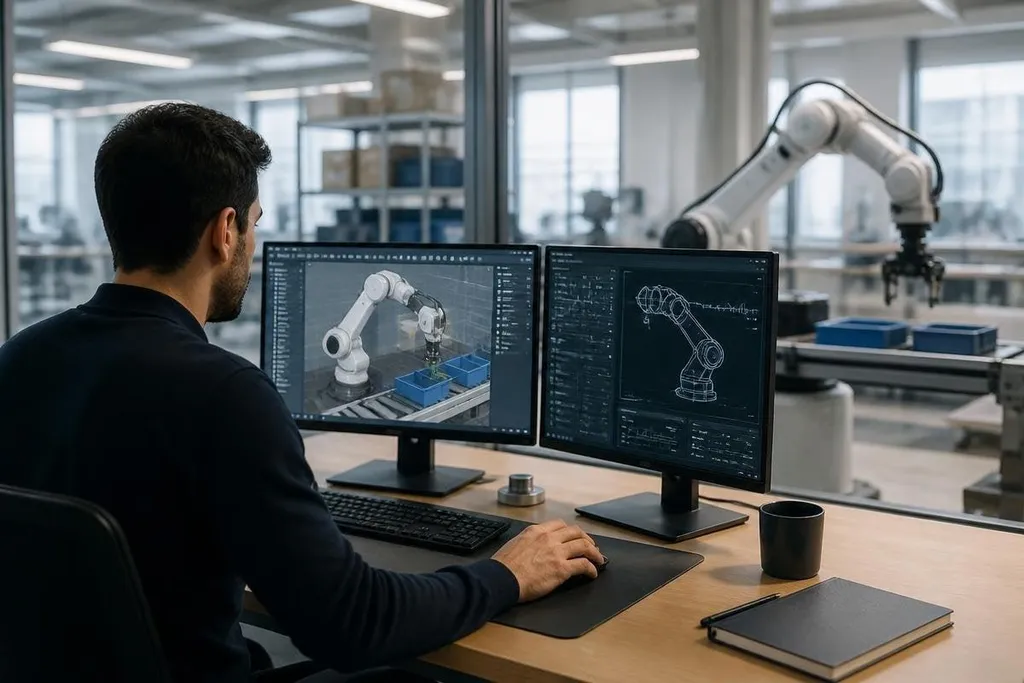
A robot team can test a virtual arm, warehouse route, or gripper task before the matching hardware is ready. That software model is called a digital twin, and its value comes from the link between the model and the physical robot.
- Test motion plans before a robot reaches the lab
- Reuse sensor and motor data to find errors
- Keep simulation limits visible when results guide hardware work
What a digital twin contains
A digital twin starts with a model of the robot. It includes the robot’s shape, joints, motors, sensors, control software, and the space where the robot must work. A virtual arm, for example, can have the same joint limits and payload setting as the physical arm.
The model also needs rules for motion. A physics engine estimates forces, contact, balance, and collisions. A camera or LiDAR model can send simulated sensor data to the control system, so the robot software receives inputs similar to those it will get from hardware.
That link matters because a picture of a robot is not enough. The twin must run the same type of code that will later control the physical system, or the test says little about the finished machine.
How teams use the model
Robot developers can run many tests in software before they book lab time. They can change a joint limit, move an obstacle, alter a route, or give the robot a different object to carry. Each run shows how the control system responds.
This helps with tasks that are costly or slow to repeat on hardware. A mobile robot can check routes around shelves. An arm can test whether its gripper reaches a bin without hitting a frame. A legged robot can run balance tests without falling onto a workshop floor.
The same setup can also produce training data for machine-learning systems. The team changes the lighting, object position, surface, or sensor noise in the simulator, then checks whether the control system still chooses a safe action.
The result is useful only when the simulated conditions resemble the job the robot will face.
That move from simulation to a working site needs named machines and test results. Digital twin robotics coverage gives you a place to check those details before the model’s limits come into view.
Where the model falls short
Simulation leaves out details. A real motor has heat, backlash, cable drag, and wear. A gripper may slip because an object is dusty. A camera can lose a target because of glare. Small errors can change the result when a robot works near people or handles a delicate part.
This gap is often called the sim-to-real problem. Teams reduce it by comparing simulated sensor readings with data from the physical robot, then tuning the model. They may also add controlled noise to the virtual sensors so the software must handle less-than-perfect input.
A digital twin can lower hardware testing needs, but it cannot remove them. The final checks still need the actual robot, its tools, its safety systems, and the floor where it will work. I'd use a digital twin to cut early trial work, not to approve a robot without physical tests.
A practical decision guide
Use these checks before adding a digital twin to a robot project:
- Name the task: Pick one job, such as bin picking, route planning, or pallet movement.
- Match the hardware: Copy joint limits, sensor positions, tool weight, and control timing.
- Collect physical data: Record motor movement, sensor output, contact points, and failed runs.
- Test the gap: Compare virtual results with the same task on the physical robot.
- Set a handoff rule: Decide which tests must pass in the lab before deployment.
The best first project is narrow enough to measure. A team can compare the virtual route with the robot’s route, check missed detections, and record where the model gives the wrong answer. That record tells developers which part of the twin needs work.
Digital twins will matter most when they stay tied to measured robot data. The next useful question for any project is specific: which physical test can the model replace, and which one still needs the machine?